Understanding Amazon’s Algorithm: How Merch Informer Helps You Beat the Competition

In the world of print-on-demand, getting your Merch by Amazon products in front of the right eyes isn’t just about clever designs. It’s about understanding how Amazon decides which listings get seen in the first place. That decision lies in the hands of a complex and ever-evolving system known as the Amazon A9 algorithm.
But don’t worry—you don’t need to be a computer scientist to make the algorithm work for you. With the right tools and a clear understanding of how Amazon ranks products, you can optimize your listings to outperform the competition. That’s where Merch Informer comes in.
This guide will walk you through the inner workings of Amazon’s algorithm, reveal what really moves the needle in search rankings, and show you how to use Merch Informer’s data-driven features to rise above the crowd.
What Is the Amazon A9 Algorithm?
Amazon’s A9 algorithm is the invisible gatekeeper between your product and potential buyers. Its job is to display the most relevant and best-performing listings when someone searches for something. For Merch by Amazon creators, this means the A9 algorithm decides who shows up on page one of search results.

Key factors the A9 algorithm considers include:
- Relevance: Do your keywords match what people are searching for?
- Click-Through Rate (CTR): Are people clicking on your listing when it appears in search?
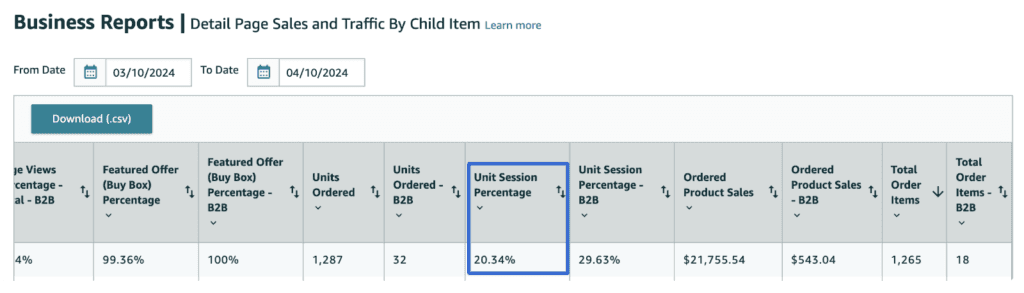
- Conversion Rate: Once someone clicks, do they actually buy it?
- Sales Velocity: How fast are your products selling?
- Recency: Are your listings fresh and recently updated?
- Pricing: Is your price competitive?
- Reviews: For products that qualify, what do customers say?
Every listing is judged on these metrics, and the algorithm constantly adjusts rankings based on performance. The good news? Every one of these metrics can be improved using the tools inside Merch Informer.
Merch Informer Tools That Help You Outrank the Competition
Niche Hunter
Niche Hunter is your gateway to finding profitable niches. It scans the top-selling shirts on Amazon and shows you exactly what’s trending, how many reviews a listing has, the estimated monthly sales, pricing, and even the competition level.
Use it to:
- Find proven niches with low competition and high demand
- Spot rising trends early
- Understand what kinds of designs and keywords are driving traffic
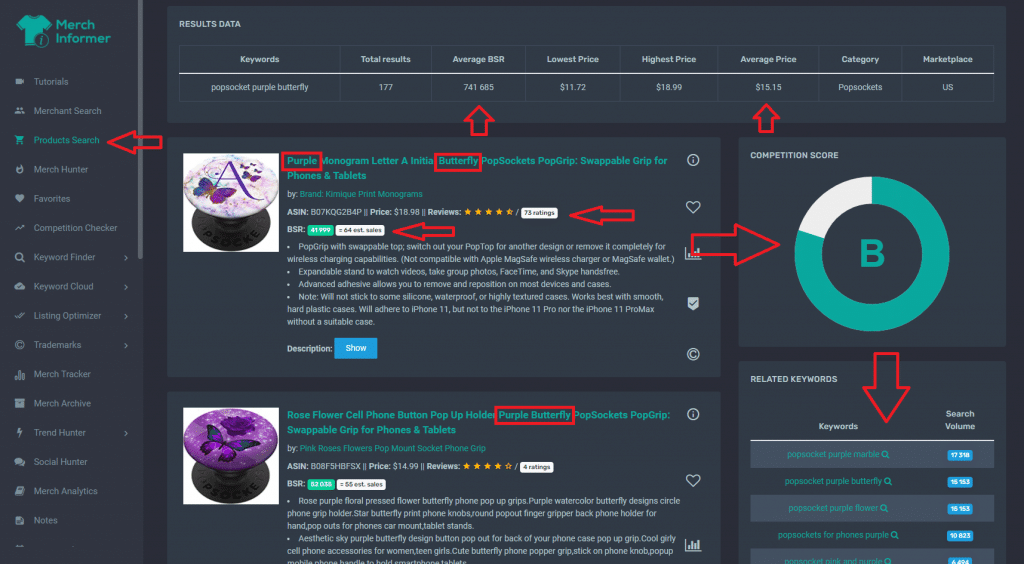
Product Search
Dig deeper into Amazon listings with Product Search. Filter by BSR, price, reviews, and more to analyze what’s currently working in your niche.
Use it to:
- Analyze design elements and positioning of top competitors
- Discover sub-niches and alternative phrasing
- Spot market gaps
Competition Checker
The Competition Checker tells you how many listings are returned for a given keyword. It’s the fastest way to understand if a niche is oversaturated or ripe for the taking.
Use it to:
- Evaluate demand vs. supply before creating a design
- Choose niche angles with higher visibility potential
Trend Tracker
Amazon rewards recency. Trend Tracker keeps you informed about what’s hot in real-time so you can act fast.
Use it to:
- Capitalize on viral moments before the wave crashes
- Publish fresh listings to tap into Amazon’s recency bias
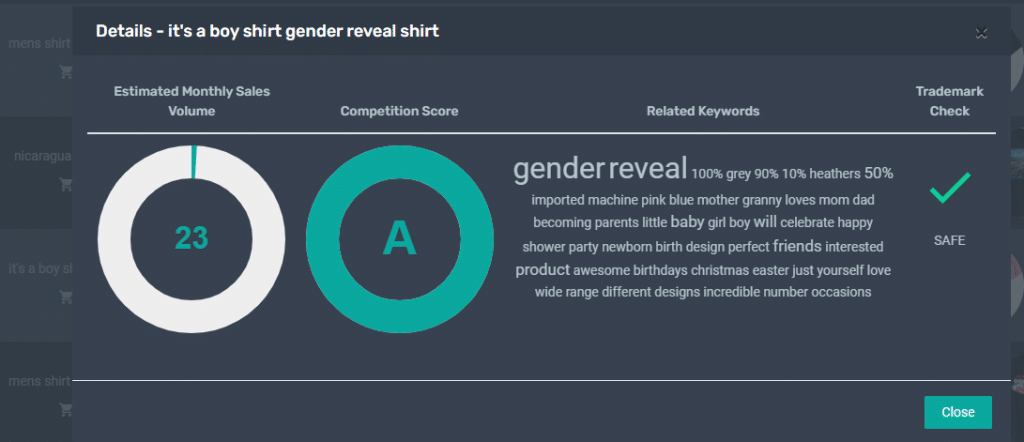
Optimizing for Amazon Search: Relevance Is King
One of the most powerful ways to improve your search ranking is by optimizing your listing for relevance. That means making sure your titles, bullet points, and backend keywords are precisely aligned with what people are searching for.
Keyword Finder
This feature helps you discover real keywords that shoppers are using on Amazon.
Use it to:
- Build your listings around high-traffic search terms
- Avoid wasting space on low-volume or irrelevant keywords
Title & Tag Generator
If you struggle with writing keyword-rich titles, this tool uses real data to suggest effective phrasing.
Use it to:
- Craft compelling, search-friendly titles quickly
- Ensure you’re not missing important keywords
Listing Optimizer
Listing Optimizer grades your live or draft listings and provides tips to improve them based on keyword usage and best practices.
Use it to:
- Audit your listings for weak points
- Get actionable suggestions for improvements
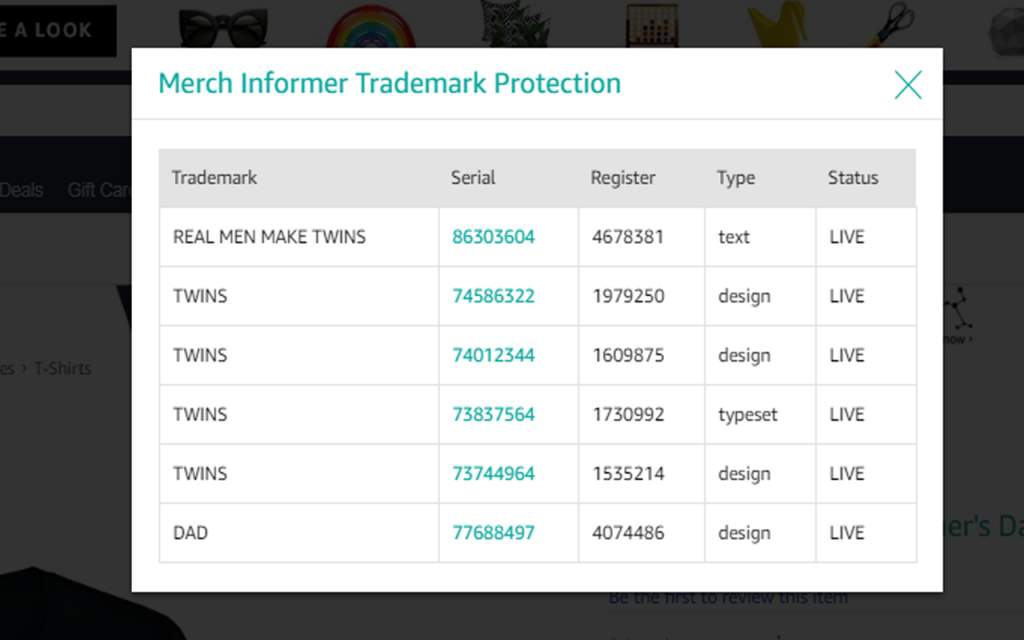
Trademark Protection
Merch Informer’s trademark checking tool automatically scans your listings to make sure you’re not using protected phrases or brand names.
Use it to:
- Avoid takedowns and account penalties
- Keep listings clean and compliant
Monitoring Sales Signals: Ride the Algorithm’s Momentum
Amazon loves momentum. If your product is selling well, it gets pushed higher in the rankings. Merch Informer helps you monitor these performance signals so you can strike while the iron is hot.
BSR Tracking
Track changes in Best Seller Rank (BSR) over time to gauge how your products and competitors are performing.
Use it to:
- Understand sales trends and seasonality
- Make decisions about when to update or retire listings
Saved Favorites
Keep an eye on competitor listings by saving them to your Favorites dashboard.
Use it to:
- Benchmark your listings against top performers
- Stay informed about pricing and positioning changes
Movers & Shakers
This tool highlights products that are suddenly trending upwards in sales.
Use it to:
- Jump on hot trends early
- Replicate success in adjacent niches
Outthink the Competition: Position Yourself to Win
Beating the competition is about more than keywords. Merch Informer helps you develop a complete strategy:
- Design differentiation: Analyze bestsellers and identify visual gaps
- Pricing strategy: Benchmark prices to stay competitive without undercutting
- Color and style selection: See which colors are driving sales in your niche
- Niche stacking: Combine interests (e.g., “Retro Gamer Cat Dad”) to reduce competition
With insights from Merch Informer, you can enter saturated markets with unique angles that still appeal to the algorithm—and to customers.
Bonus: The Algorithm Survival Checklist
Here are 10 steps to keep your listings algorithm-friendly and competitive:
- Choose a niche using Merch Hunter and Competition Checker
- Validate demand with Keyword Finder and Trend Tracker
- Build a keyword-rich title with Title & Tag Generator
- Check for trademarks before finalizing your listing
- Use strong visuals that stand out in Amazon search results
- Set pricing strategically to stay competitive
- Publish regularly to benefit from Amazon’s recency boost
- Track BSR to monitor sales performance
- Audit listings monthly with Listing Optimizer
- Monitor competitors and trends with Favorites and Movers & Shakers
Final Thoughts
The Amazon algorithm may be complex, but it’s not a mystery. With Merch Informer, you can make data-driven decisions that help your products surface higher, sell more, and stay visible longer. Whether you’re a seasoned Merch pro or just getting started, leveraging these tools gives you the power to out-think and out-rank your competition.
So next time you wonder why a listing is on page one and yours isn’t, remember: It’s not luck. It’s algorithm strategy—and you now have the tools to master it.