Creating Compelling Ads for Merch by Amazon Using Merch Informer Insights
Amazon Merch sellers know the struggle: a fantastic design can go unnoticed without the right exposure. While organic sales are ideal, Amazon advertising—powered by smart targeting and strategic spend—can launch your design to top-performer status. The key difference? Ads built on data-driven insights typically outperform all others.
Merch Informer has emerged as the go-to platform to guide that process—through trending data, keyword analysis, competitor tracking, and listing optimization. In this guide, you’ll learn how to use Merch Informer at each ad development step:
- Identifying ad-worthy designs
- Extracting high-value keywords
- Crafting optimized listing content
- Building effective Amazon ad campaigns
- Monitoring results + iterating for better ROI
- Real-life campaigns done right
- 10-point checklist for ad success
Let’s get your designs in front of customers—at scale, smarter, and faster.
1. Step One: Find Your Ad Star—What to Promote
You can’t advertise everything. Start with top-tier designs that:
- Have solid trailing Best Seller Ranks (BSR)
- Use on-trend keywords with growing search volume
- Have proven sales or potential via Merch Informer’s Product Tracker
A. Use Merch Hunter

Filter by BSR (< 200K), low competition, and recent launch date to surface promising recent listings. Export the top candidates.
B. Check Trend Hunter
See what niches are rising: maybe “dog mom sweatshirt” is spiking. If you have a design for it, it may be time to target with ads.
C. Validate With Product Tracker
Import your candidate listings into Product Tracker. Watch their views, sales estimates, and daily trends over 7–14 days before spending ad dollars.
Your “ad star” should already show signs of organic traction or serve a trending niche.
2. Step Two: Extract High-Value Keywords from Merch Informer
Ads without strong keywords are like boats without oars. Here’s how to turn insights into targeting:
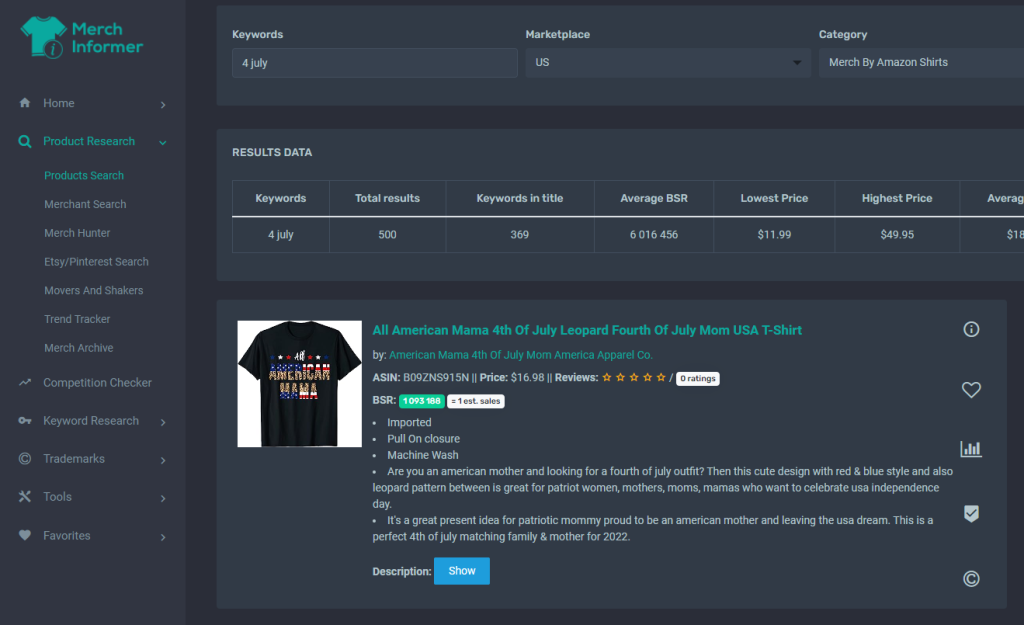
A. Use Keyword Finder
Load your ad-worthy design keywords—e.g., “dog mom sweatshirt”—and export search volume, competition scores, and trend data.
B. Add Keyword Cloud
Generate long-tail variations like “classic dog mom sweatshirt,” “dog mom gift tee,” or “best friend dog mom design” for expanded reach.
C. Analyze Metrics
Aim for keyword combos with:
- ≥ 1,000 monthly searches (for volume)
- Competitions score ≤ C (for easier ranking)
- Rising trend lines (via Trend Hunter)
Your ad campaigns will run better when built around these validated keyword targets.
3. Step Three: Optimize Listing Content for Ad Conversion
Ads in isolation don’t sell; optimized listings do. Convert better with:
A. Listing Optimizer
Paste your title, bullet points, and description. Merch Informer gives a completeness and SEO score. Improve it before launching ads.
B. Add Keywords Thoughtfully
- Title: Include primary keyword first: “Dog Mom Sweatshirt – Funny Gift for Women”
- Bullet points: “High quality soft cotton sweatshirt; perfect dog mama gift.”
- Description: Reinforce hero selling points plus care details, fulfilled by Amazon info, and soft calls to action.
C. Subtitle and Tags
Use subtitle to add secondary keywords. Also prep them for possible inclusion in backend ad targeting.
Your listing must deliver on ad expectations—so claims in your ad always match your actual listing text and design.
4. Step Four: Build Effective Amazon Ad Campaigns
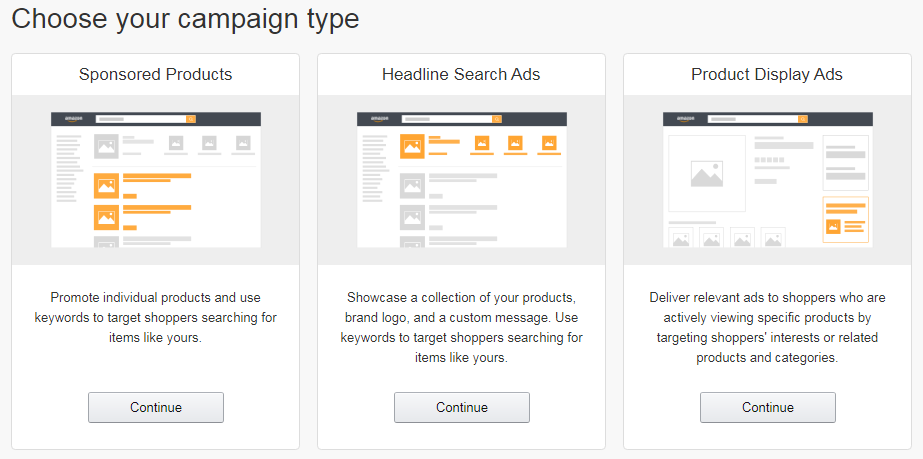
A. Campaign Type: Sponsored Products
Best fit for Merch products (via Brand Registry)—choose keyword-targeted campaigns.
B. Campaign Structure
- Ad Group 1: Exact Keywords
High-volume, low-difficulty words (e.g., “dog mom sweatshirt”) - Ad Group 2: Phrase Match + Long-Tail
Use variations from Keyword Cloud (e.g., “dog mom gift”, “funny dog mom apparel”) - Ad Group 3: Automatic Keywords
Let Amazon surface potential keywords (wear Blind Launch)
C. Budgeting Strategy
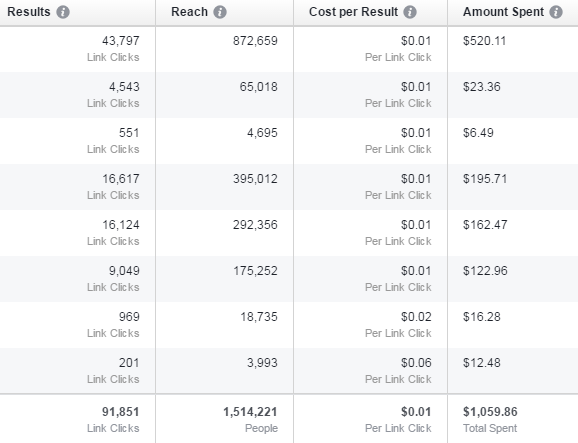
- Start small (~$10/day) per campaign
- Use suggested bids as baseline
- Set AB testing enabled to compare ad groups
D. Bids & Placement
Bid more on title keywords with high volume; reduce bids on long-tail.
E. Asset Quality
Use your hero product image and banner (if brand-eligible). Keep design clear even at thumbnail size.
5. Step Five: Monitor, Analyze & Scale
Track Metrics via MerchInformer + Amazon:
- CTR / Impressions: Low CTR may require image or title tweak
- ACoS: Ideally 15–30%, target lower for evergreen niches
- Sales attribution: Amazon PPC reports vs MerchInformer organic data
Key Actions:
- Pause underperforming keywords (if ACoS >35%)
- Add negative keywords for unprofitable terms
- Scale winning keywords and bids
- Build new campaigns for repeat winners
Rerun Keyword Finder every 30 days:
Update keyword list, add new variations, drop stale ones.
6. Real-World Campaign Case Studies
Case Study A: “Cat Dad T-Shirt”
- Identify design with BSR ~150K
- Confirm via Product Tracker
- Extract primary & long-tail keywords
- Launch Exact and Phrase match campaigns
- CTR at 1.8%, ACoS at 22%, 40% conversion lift
Case Study B: “Sarcastic Teacher Sweatshirt”
- Spot upward trend via Trend Hunter
- Prepare listing with optimized content
- Launch Phrase match campaign
- Add term “end of year teacher gift”—Acos 30%
- Roll into seasonal strategy ahead of June
7. 10-Point Checklist for Ad Success
| Step | Action |
|---|---|
| 1 | Find ad-worthy design with Good BSR |
| 2 | Validate with full Product Tracker data |
| 3 | Extract volume + competition keywords |
| 4 | Optimize listing via Listing Optimizer |
| 5 | Structure campaigns (Exact, Phrase, Auto) |
| 6 | Set sensible initial bids and budgets |
| 7 | Track CTR, conversion, ACoS in PPC reports |
| 8 | Pause and refine underperforming keywords |
| 9 | Scale winning campaigns |
| 10 | Refresh keyword pool monthly |
Final Thoughts
Advertise smart—using stars built on data, fully optimized listings, and strategic campaigns powered by MerchInformer’s insights. This is how you turn ad spend into sustainable growth—not guesswork.
In the end:
Find winners. Gather insights. Build ads. Track results. Profit with precision.