Quality Control in POD: What You Can Control (and What You Can’t)
Print-on-demand is one of the greatest “small business miracles” ever invented.
You can create a design tonight, list it tomorrow, and make a sale without buying inventory, renting space, or gambling hundreds of dollars on a big upfront order. For a lot of people—especially busy, real-life humans with budgets—POD is the first time “starting a product business” has felt possible.
But POD has a trapdoor.
Because the ease and immediacy can make you forget something important:
You’re still selling a physical product.
And physical products have limitations.

With POD, quality control isn’t something you “fix later.” It’s something you prevent up front, because you don’t get the same safety nets a traditional product business gets—press checks, factory approvals, or hands-on inspection.
So this is a calm, practical guide to POD quality control: what you can control, what you can’t, and how to avoid the most common “why does it look like that?” disasters.
The POD reality: you don’t control the factory—you control the prep
In traditional manufacturing, there are checkpoints:
- pre-production samples
- color matching
- press checks
- inspections
In POD, you’re usually skipping most of that.
You upload files. The provider prints. The order ships.
Which means your quality control lives in:
- your file prep
- your design choices
- your understanding of print limitations
- your product selection
- your listing expectations
Think of it like cooking without tasting:
You don’t get to sample every dish before it goes out—so your recipe has to be reliable.
What you CAN control
1) Your design style (and whether it’s “POD-friendly”)
Some styles are naturally forgiving:
- bold, flat colors
- simple shapes
- thick outlines
- limited palettes
- graphic, poster-like design
- typography-first designs
Some styles are fragile in POD:
- subtle gradients
- hyper-realistic detail
- tiny text
- pastel-on-pastel
- “near black” colors (where everything can muddy together)
- delicate line art on textured materials
If you want fewer quality issues, build your catalog around print-friendly aesthetics.
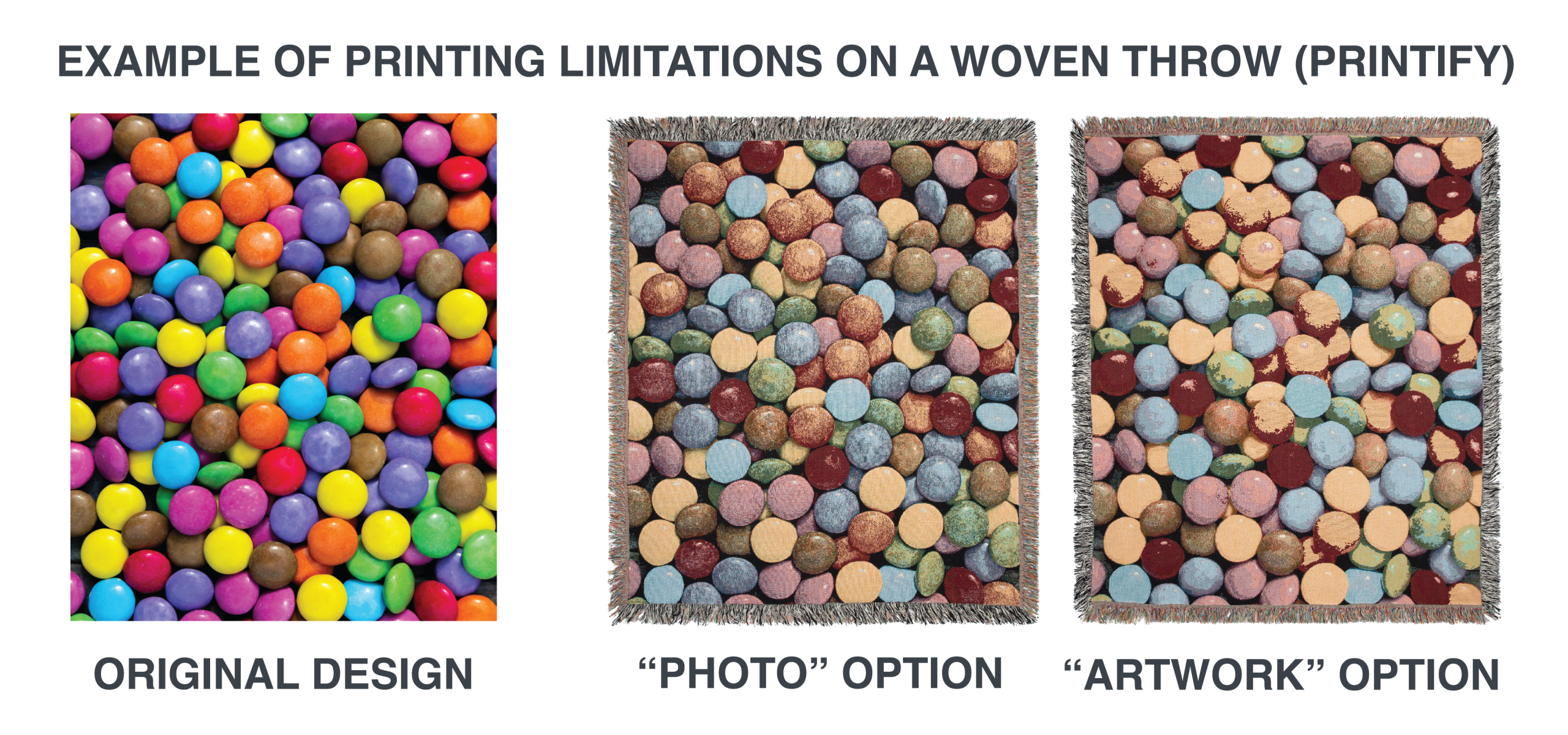
A buyer doesn’t need a masterpiece. They need a product that looks like the mockup. A good example is the woven throw, a cozy décor favorite. Constructed with a limited number of heavy threads, it is not something that can provide true color. See visual above.
2) Your file setup (the boring part that saves you)
Quality control often starts with the simplest decisions:
- correct file dimensions for the product
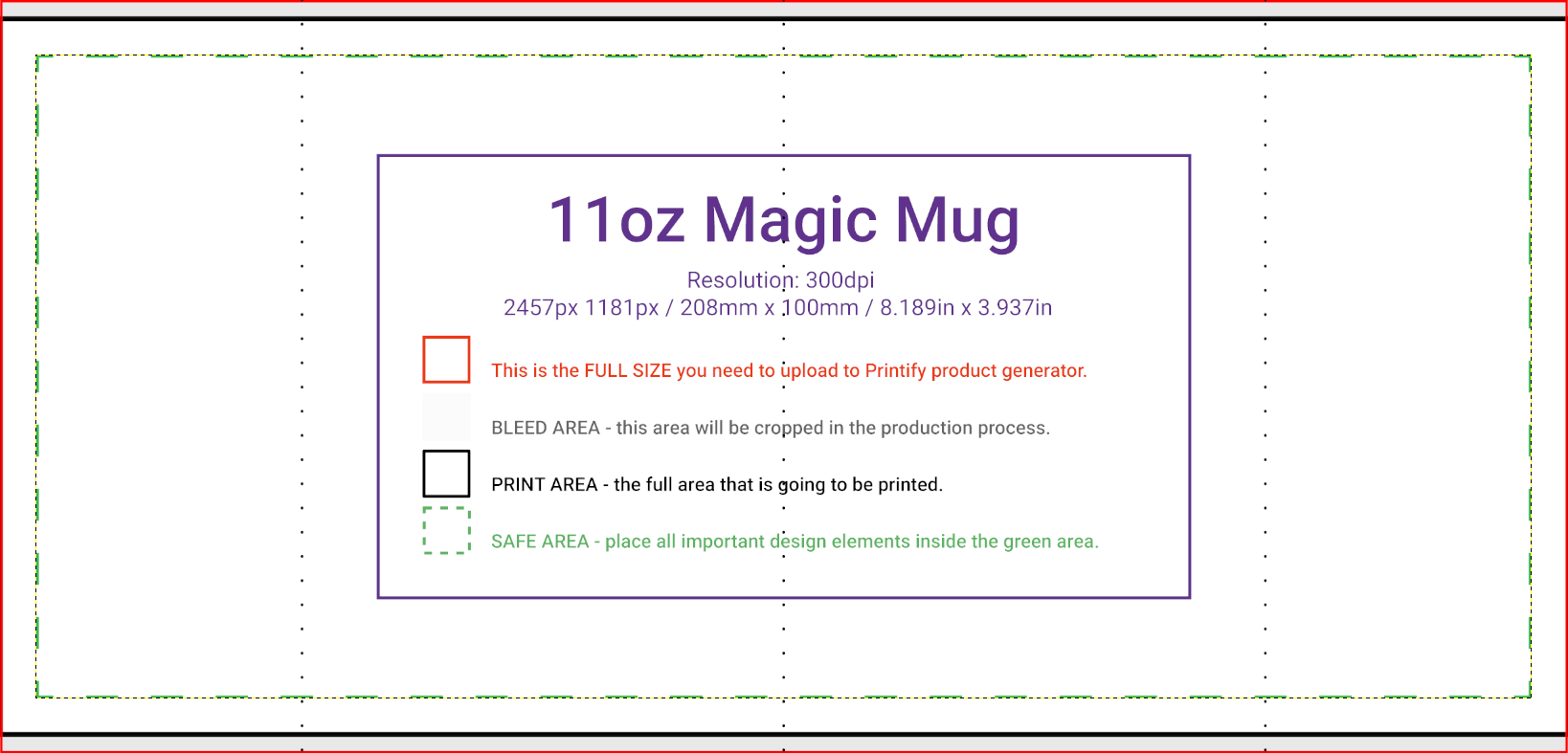
- safe margins (don’t put key elements right at the edge)
- avoiding tiny details where printing can blur
- using high enough resolution so lines don’t look fuzzy
Even if you never get “press checks,” you can still prevent a ton of problems by being consistent and conservative with file prep.
In POD, clarity beats cleverness.
3) Your color expectations (and how you design around them)
Color is where POD disappointments often happen—not because POD is “bad,” but because color is complicated.
Common POD realities:
- prints can vary by provider, machine, and even batch
- screens lie (your monitor is not the shirt)
- fabric color changes the look (white vs natural vs black)
- some tones get duller than expected
- very bright colors may not hit the way you imagine
The fix isn’t perfection. The fix is designing with tolerance:
- choose palettes that still look good if they shift slightly
- avoid super-subtle gradients that depend on perfect reproduction
- use contrast intentionally so the design reads even if colors change
Design like you’re printing in the real world, not in Photoshop heaven.
4) Your product choices (some POD items are just safer)
Not all POD products are equally forgiving.
Some products tolerate minor printing variation well:
- bold graphic tees
- mugs with simple designs
- stickers with strong contrast
- tote bags with thick line art
- posters with clean typography
Some can be more sensitive depending on provider:
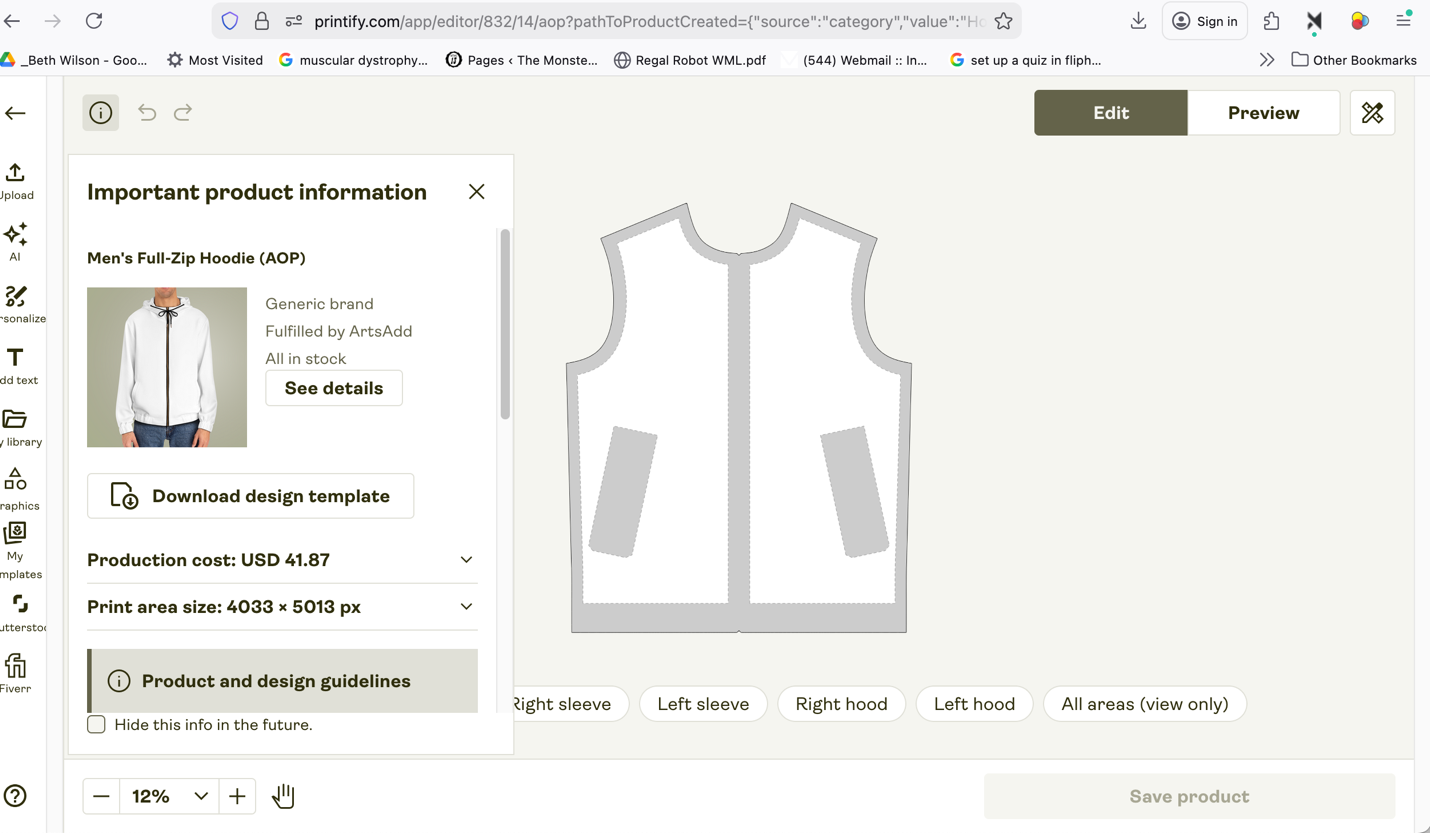
- all-over prints
- ultra-detailed photo prints
- certain fabric blends where ink behavior varies
- items with tricky placement areas
When in doubt, start your catalog with “safer” products, then expand once you understand what your provider does well.
5) Your listing language (you can prevent disappointment before it happens)
A huge portion of “quality control” is actually expectation control.
You can reduce complaints by being clear about:
- what the customer is receiving
- how colors may vary slightly from screen to print
- how sizing works (for apparel)
- what parts of the product are printed (customization areas)
- what the finish is like (matte vs glossy if applicable)
A good Etsy listing isn’t just selling—it’s preparing the buyer.
What you CAN’T control (and need to design around)
1) Exact color matching
You can get close. You can get consistent-ish. But “exact match” is a dangerous promise in POD.
If your brand depends on precise brand color fidelity, you have two options:
- accept that you’ll need to order samples and standardize around a specific provider/product combo
- or shift your design approach to styles that don’t require perfect matching
2) Minor variation between orders
Two customers ordering the “same” item might receive slightly different results depending on:
- production location
- machine calibration
- product batch
- material changes
This is normal in POD. The key is not to eliminate variation—it’s to make your design resilient to it.
3) Placement being “microscopic perfect”
POD printing can shift slightly.
Your goal should be: looks centered and intentional—not “laser-measured to the millimeter.”
Design with margins and breathing room so small shifts don’t ruin the composition.
4) Material and stock changes
Providers sometimes swap:
- shirt brands
- paper stock
- finishes
- suppliers
Even if they try to keep it consistent, it can change over time. That’s why having a catalog built around flexible design styles is so valuable.
The realistic best practice: sample orders (but be strategic)
Yes: ordering samples can add up.
So don’t sample everything. Sample like a grown-up.
A smart sampling plan:
- sample your top 1–3 bestsellers
- sample any product type you’re unsure about (new category)
- sample any design that uses tricky color or fine detail
- sample before scaling ads or pushing a product hard
Think of samples like insurance. You don’t need insurance on everything—you need it where the risk is highest.
Quality control is a promise you keep with your future self
The easiest way to burn out in POD is:
- sell fast
- get avoidable complaints
- spend weekends doing customer service
- feel like everything is fragile
The easiest way to stay sane is:
- design with print reality in mind
- pick resilient products
- set honest expectations
- sample strategically
- build a catalog that doesn’t break if the color shifts 5%
POD is powerful. But it’s not magic.
The creators who win long-term are the ones who treat quality control as prep, not panic.
6 “linked visual” listing targets to search for (great for this article)
These are the kinds of real listings you can link/illustrate to reinforce the points above:
- A bold typography tee (print-friendly design)
- Search: Etsy bold typography shirt minimalist
- A simple 2–3 color graphic on a mug
- Search: Etsy simple graphic mug minimal design
- A high-contrast sticker set
- Search: Etsy high contrast sticker pack
- An example listing that clearly states “colors may vary”
- Search: Etsy “colors may vary” POD shirt
- A design with generous margins (shows placement resilience)
- Search: Etsy centered design shirt large margin
- A listing that shows multiple mockups (helps expectation-setting)
- Search: Etsy multiple mockups shirt listing